
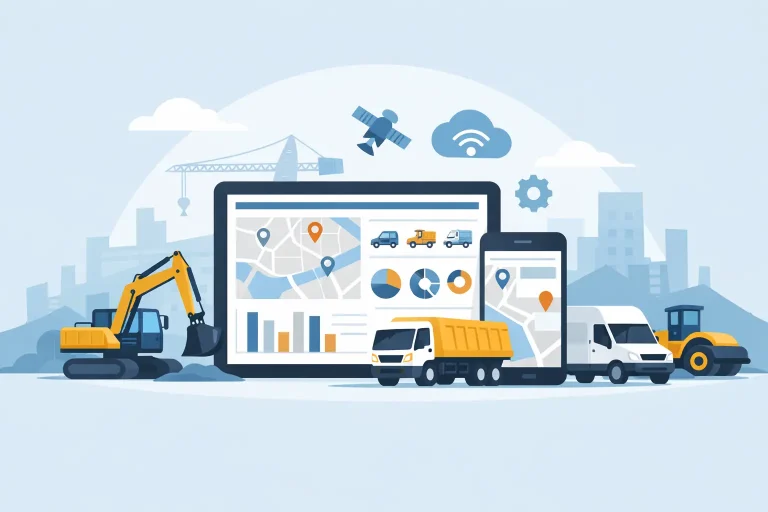
A grader is on one site, a tipper is running late to another, and someone in the office is still chasing a paper pre-start from yesterday. That is usually the point when fleet software for construction companies stops sounding like a nice-to-have and starts looking like basic operational infrastructure.
Construction fleets are harder to manage than standard vehicle fleets because the job is not just about vehicles getting from A to B. You are coordinating utes, trucks, plant, trailers, attachments and field staff across changing worksites, tight deadlines and strict safety obligations. If your systems are spread across whiteboards, phone calls, spreadsheets and disconnected apps, the gaps show up quickly in downtime, missed servicing, billing disputes and poor visibility.
What fleet software for construction companies should actually do
The best systems do more than show dots on a map. For construction businesses, software needs to reflect how work happens on site and on the road. That means tracking mixed assets, capturing usable data and turning it into actions your team can take today.
At a practical level, the software should tell you where vehicles and equipment are, how they are being used, whether they are due for service and whether operators are following policy. It should also help your office team reduce manual admin rather than create more of it. If your platform looks impressive but still leaves staff re-entering job details, chasing logbooks and manually checking utilisation, it is not solving the real problem.
This is where many buyers get caught. They shop for tracking, but what they need is operational visibility. There is a difference.
Why construction businesses outgrow basic tracking fast
A standard GPS tracker might tell you a ute left the yard at 6:12 am. Useful, yes. But construction operators usually need more context than that.
They need to know whether a machine has been idle for three days on the wrong site, whether a trailer has been moved without approval, whether a driver is repeatedly speeding through work zones, and whether servicing can be scheduled before a breakdown disrupts a project. They may also need proof of arrival and departure times for customer billing, subcontractor management or internal cost allocation.
That is why basic fleet tracking often hits a ceiling in construction. The real value comes from combining location data with utilisation, maintenance, compliance and driver behaviour. Once those pieces sit in one platform, decisions get quicker and less guesswork-driven.
The operational problems the right platform can fix
Construction businesses rarely buy software because they want more software. They buy it because something in the day-to-day is costing too much time or money.
One common issue is underutilised assets. A business might hire extra equipment because a team believes everything is already allocated, only to find later that several assets were sitting idle. Good software highlights usage patterns clearly enough to make redeployment decisions before unnecessary hire costs stack up.
Another issue is maintenance drift. In mixed fleets, scheduled servicing can easily slip when assets move between sites or operators. Software that automates maintenance reminders based on kilometres, engine hours or time intervals helps reduce avoidable breakdowns and extends asset life.
Then there is paperwork. Site-based operations generate a lot of it, and paper forms have a habit of arriving late, incomplete or not at all. Digital reporting can reduce the admin load while giving managers a more accurate picture of daily operations.
Safety is another major driver. Construction businesses cannot afford blind spots around driver behaviour, vehicle incidents or equipment use. Dash cams, in-vehicle monitoring and exception alerts can support coaching, incident review and policy enforcement. That matters not just for compliance, but for insurance, reputation and keeping crews safe.
Key features that matter in construction
Not every feature matters equally, and the right mix depends on your fleet. A civil contractor running heavy vehicles and plant has different needs from an electrical contractor managing service utes and trailers. Still, a few capabilities tend to have the biggest operational impact.
Real-time tracking matters because site plans change quickly. If a job runs over or a crew needs support, dispatchers need current information, not yesterday’s movement report. Asset coverage also matters. Many construction businesses manage non-powered assets such as trailers, generators or site equipment, and those items are often the easiest to lose track of.
Utilisation reporting is critical when margins are tight. It helps answer simple but valuable questions: which assets are earning, which are sitting idle, and which could be reallocated or sold. Maintenance scheduling is equally important because unplanned downtime on a live job costs more than the repair itself.
Driver behaviour monitoring has a place too, especially for fleets with regular road travel. Harsh braking, speeding and excessive idling all affect fuel, wear and safety. The point is not to micromanage drivers. It is to identify patterns, coach fairly and reduce preventable costs.
For some operators, AI dash cams and in-vehicle monitoring add another layer of protection. They can provide context when incidents occur and support a stronger safety culture. But whether that is essential depends on your risk profile, claim history and vehicle use.
Choosing fleet software for construction companies without overbuying
The best platform is not always the one with the longest feature list. It is the one your team will actually use consistently.
That means ease of use should be near the top of your checklist. Site supervisors, office staff and managers do not have time for a system that takes weeks to learn or needs constant troubleshooting. If the software is hard to navigate, adoption drops and data quality follows.
You also need to think about hardware fit. Construction fleets are rarely uniform. You may have hard-wired units in trucks, battery-powered trackers on trailers, plug-and-play devices in light vehicles and mobile-based options for contractors or field staff. A provider that can support different asset types usually gives you more flexibility as your operation changes.
Support matters more than many buyers expect. When equipment is off the road or data is missing, waiting days for a response is not acceptable. For businesses operating across Australia and New Zealand, local support can make a real difference, especially during rollout and when tailoring reports to fit operational needs.
The other trap is buying for today only. Your current problem might be vehicle visibility, but six months from now it may be compliance reporting or asset utilisation. It helps to choose software that can scale with the business rather than forcing another platform change later.
Implementation is where the value is won or lost
Even strong software underperforms if rollout is messy. The businesses that get results fastest usually start with a clear purpose. They know whether they are trying to reduce fuel use, improve billing accuracy, tighten maintenance control or manage mixed assets better. That goal shapes what gets installed, who needs access and which reports matter.
It also helps to avoid switching everything on at once. Start with the features that solve the biggest operational pain point, then build from there. For example, tracking and maintenance may come first, with driver behaviour, dash cams or more advanced reporting introduced once the team is comfortable.
Communication with staff matters as well. If drivers or operators see the system purely as surveillance, resistance is more likely. If they understand that it supports safety, reduces paperwork and helps avoid unnecessary blame after incidents, adoption tends to improve.
This is one reason a practical, service-led provider often outperforms a flashy software vendor. Construction teams need setup that matches real assets and workflows, not generic onboarding.
What good results look like after rollout
When fleet software is working properly, the improvements are usually straightforward to spot. Office teams spend less time chasing information. Managers can see where assets are and how they are performing without making ten phone calls. Maintenance gets planned instead of guessed. Billing disputes are easier to resolve because arrival and departure data is available.
Over time, you also get better strategic decisions. You can identify underused equipment, justify new purchases with actual utilisation data, compare site activity more accurately and set clearer accountability across crews and subcontractors.
There is no single feature that fixes construction fleet management on its own. The value comes from bringing visibility, compliance, maintenance and operational reporting into one usable system. For many businesses, that is the difference between reacting to problems all day and running a tighter operation with fewer surprises.
If your fleet includes vehicles, plant, trailers and mobile crews, the question is not whether data would help. It is whether your current setup gives you data you can act on before the day gets away from you. The right platform makes that part Made Ezi.