If you are replacing whiteboards, spreadsheets and too many phone calls, a proper fleet management software comparison is worth doing before you sign anything. The gap between systems can be bigger than it looks in a sales demo. One platform may track vehicles well but fall short on plant, trailers or field staff. Another may promise every feature under the sun but create more admin than it removes.
For most operators, the real question is not which platform has the longest feature list. It is which one will make the day-to-day job easier, reduce paperwork, improve accountability and help keep assets moving. That means looking past flashy dashboards and focusing on fit.
What matters in a fleet management software comparison
The best comparison starts with your operation, not the software vendor. A courier fleet running metro routes has different needs from a civil contractor managing utes, excavators, light vehicles, trailers and subcontractors across multiple sites. If you compare platforms without mapping your own workflows first, it is easy to buy for the wrong problem.
Start with the outcomes you actually need. That might be live vehicle tracking, maintenance reminders, driver behaviour reporting, timesheets, proof of service, utilisation reports, compliance support or asset location. If your team is spending hours reconciling logbooks, chasing service dates or figuring out which machine is idle, those are the pain points the software should solve.
There is also a difference between software that looks good in procurement and software that works on a wet Tuesday when the phones are going off. Ease of use matters. If dispatchers, managers and field teams cannot use it confidently, adoption drops fast and the promised efficiency never turns up.
Core features worth comparing
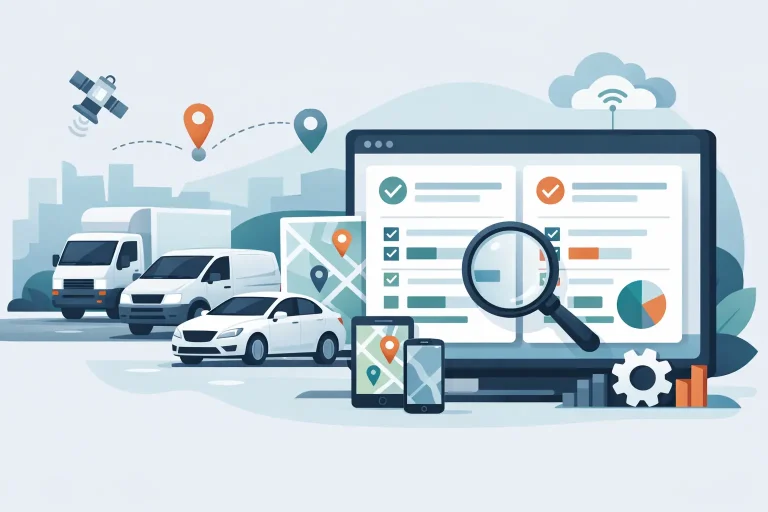
Live tracking is still the foundation, but it should not be the whole story. Good tracking helps you know where assets are, how they are being used and whether jobs are running to plan. The stronger systems add context, such as trip history, stop durations, arrival and departure times, route replay and geofence activity.
Maintenance is another area where the differences show up quickly. Some platforms offer basic service reminders only. Others give you proper scheduling based on kilometres, engine hours or time intervals, which is far more useful for mixed fleets and heavy equipment. If unplanned downtime hits your margins, this feature deserves a closer look.
Driver behaviour tools can also vary. One system may only flag speeding, while another covers harsh braking, acceleration, idling and after-hours use. Add dash cam integration and you move from simple tracking into safety management and incident review. That can make a real difference if you are trying to improve culture, reduce claims or protect drivers when complaints come in.
Reporting should be judged on whether it reduces admin, not whether it gives you fifty chart types. Useful reports are the ones that support payroll, billing, utilisation, servicing, compliance and management decisions without hours of manual clean-up.
Fleet management software comparison for mixed assets
This is where many businesses get caught. A lot of platforms are built mainly for on-road vehicles. That is fine if you only run vans or company cars. It is less helpful if your operation includes plant equipment, trailers, generators, non-powered assets or mobile teams using an app.
A realistic fleet management software comparison should check whether the system can support different asset types in one platform. Hard-wired devices may suit trucks and heavy vehicles. Plug-and-play units may be better for quick deployment in light fleets. Battery-powered tracking can be a better fit for trailers and equipment that do not have a permanent power source. App-based tracking may suit contractors or field staff where installing hardware does not make sense.
The more mixed your fleet is, the more important this becomes. Running separate systems for vehicles, plant and people usually creates duplicate work and patchy visibility. A single platform will not solve every problem on its own, but it does make coordination easier and reporting cleaner.
Compare support as closely as features
Support is easy to overlook during evaluation because every provider says they are responsive. The difference usually appears after rollout. When a device stops reporting, a compliance report is due, or a site manager needs help setting up geofences, you want direct answers from people who understand fleet operations.
This matters even more for businesses adopting telematics for the first time. The right provider helps with setup, training, report configuration and practical rollout advice. The wrong one sends you to a help article and hopes for the best.
For Australian and New Zealand operators, local support can be especially useful. Time zones, local compliance expectations and industry context all affect how quickly issues get solved. A platform might be technically capable, but if support is slow or generic, the value drops quickly.
Integration, usability and rollout effort
A platform can tick every feature box and still be painful to implement. That is why usability belongs in any serious comparison. Can your office team find what they need without digging through menus? Can site supervisors check asset locations on mobile? Can reports be scheduled automatically? Can new users be trained without a week of disruption?
Integration also deserves attention. If your software needs to feed payroll, job management, maintenance records or compliance workflows, ask what is possible and what still needs to be done manually. Sometimes a system with fewer headline features but cleaner workflow support will create better results than a more complex product.
Rollout effort is another trade-off. A highly customised platform may suit a large enterprise with dedicated internal resources. A mid-sized operator often needs something practical that can be deployed quickly, used easily and expanded over time. There is no point buying a powerful system if half the functionality stays unused because setup became too hard.
Pricing is not just the monthly fee
Price comparisons can be misleading if you only look at the per-asset subscription. Hardware costs, installation, contract terms, training, reporting setup and support all affect total value. Cheap software that creates admin or misses key visibility can cost more in the long run than a slightly higher monthly fee.
This is especially true when billing, utilisation and downtime are involved. If better tracking helps recover chargeable hours, reduce idle plant, avoid missed services or cut unnecessary phone calls, the return can outweigh the subscription fairly quickly. On the other hand, paying for advanced features you will never use is just as wasteful.
The best pricing question is simple: what operational problem will this system fix, and what is that problem costing you now?
Questions to ask before you choose
When you are down to a shortlist, push past the polished demo. Ask how the platform handles your exact asset mix. Ask what reporting is included and what requires extra setup. Ask how service reminders work for both vehicles and plant. Ask what happens if a device loses signal, a driver changes vehicles, or a trailer sits off-grid for weeks.
It is also worth asking who will support your account after the sale. Will you have a local contact? Can they help tailor reports to your operation? How long does a normal rollout take? What training is provided for admins and end users?
A good provider should answer these clearly and without too much jargon. If the answers are vague during the sales process, they usually stay vague later on.
What a good choice looks like in practice
The right system usually feels less dramatic than people expect. It does not need to reinvent your business. It needs to make the work more manageable. Dispatch becomes clearer. Service dates stop slipping. Site managers spend less time chasing equipment. Office staff spend less time piecing together timesheets and trip records. Leadership gets better visibility without waiting for someone to build a spreadsheet.
That is the real measure in a fleet management software comparison. Not who has the biggest list of features, but who can help you run a safer, more accountable and more efficient operation with less effort.
For businesses with mixed assets and mobile teams, that often means choosing a platform that is broad enough to cover the whole operation and simple enough to use every day. That is the approach Eziway Tech is built around – practical visibility, useful reporting and direct support that helps technology pull its weight in the real world.
If you are comparing options now, focus on the friction points in your operation first. The right software should make those problems smaller within weeks, not create a new set of them.