
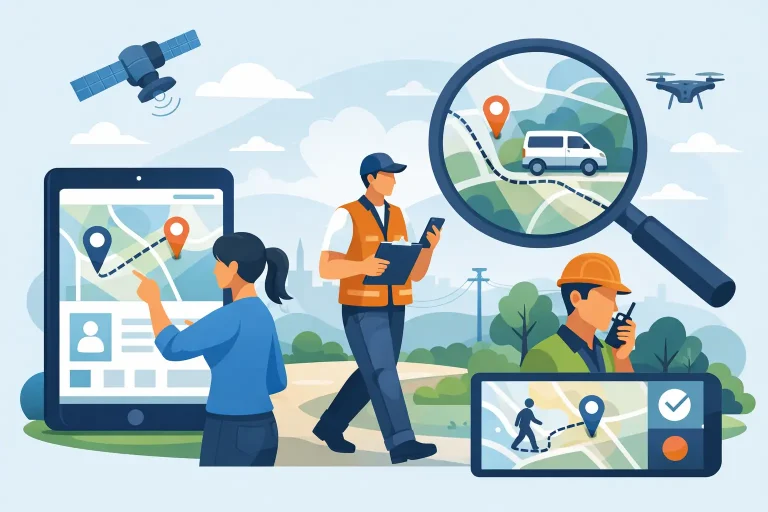
When a job runs late, a customer calls for an ETA, or a vehicle turns up somewhere it should not be, the problem is rarely just location. It is a visibility problem. That is why so many operations teams ask how to track field staff in a way that improves accountability without creating more admin or frustrating the people doing the work.
For most businesses, the answer is not simply putting dots on a map. Good staff tracking gives you a clear view of who is where, what job they are on, how long tasks are taking, whether vehicles and equipment are being used properly, and if your team is working safely. Done well, it helps dispatch, payroll, compliance, customer service and daily planning all at once.
How to track field staff in a way that actually helps operations
The first step is deciding what you are trying to fix. Some businesses need live location for job dispatch. Others need proof of attendance, timesheets, lone worker visibility, or better asset utilisation. If you start with the tool instead of the operational problem, you usually end up paying for features your team will not use.
A practical setup usually combines a few data points rather than relying on one method alone. App-based location tracking can show staff movement and attendance. GPS vehicle tracking adds stronger visibility when staff are driving between jobs. If your team also uses trailers, plant or non-powered assets, tracking those as well can close the gaps that often cause delays and phone calls.
This matters in industries like civil construction, traffic management, trades and community services, where staff movement is tied directly to vehicles, equipment and site access. Tracking the worker without the asset, or the asset without the worker, only gives you half the story.
Start with the outcome, not the technology
Before choosing a system, define what success looks like in day-to-day operations. That could mean reducing manual check-ins, improving job allocation, confirming arrival and departure times, or giving managers a better way to respond to incidents. A clear use case keeps the rollout simple and gives staff a reason to use it.
For example, if your biggest issue is late arrival disputes, geofenced site check-ins may be enough. If the challenge is job scheduling across multiple crews, you will want live map visibility and historical movement. If safety is the concern, alerting, driver behaviour reporting and lone worker support become more important.
There is no single best model for every business. A plumbing contractor with ten utes needs something different from a local council managing vehicles, plant and mobile teams across several depots. The right approach depends on how your crews move, what they carry, and how much coordination your office handles each day.
The main ways businesses track field staff
The most common option is mobile app tracking. This works well when staff carry a work mobile and move on foot or between sites in different vehicles. It can support location history, job status updates, attendance records and basic communication. It is usually quick to deploy and suits businesses that need flexibility.
Vehicle-based GPS tracking is often more reliable when staff spend most of their day behind the wheel. A fixed or plug-and-play GPS unit provides live location, trip history, idle time, route visibility and often driver behaviour insights. It also removes some of the issues that come with phones being switched off, left in the cab, or having location permissions disabled.
A combined setup is often the most useful. The app tracks the person, while the telematics device tracks the vehicle and driving activity. That gives operations managers a more complete picture, especially when time on site, kilometres travelled and asset use all affect cost and performance.
Some organisations also add dash cams, maintenance alerts or asset trackers. That might sound like a step beyond staff tracking, but in practice it solves related problems. If a field worker misses a job because a vehicle is off the road, or a trailer is left at the wrong site, it still becomes an operations issue.
What to look for in a field staff tracking system
Ease of use matters more than long feature lists. If the office team cannot find information quickly, or field staff need too many steps to clock on and update jobs, adoption drops fast. A useful system should make common tasks quicker, not add another layer of admin.
Live visibility is the obvious requirement, but historical reporting is just as important. Managers need to check where staff were, how long they stayed, and whether routes or timesheets line up with the work completed. This supports invoicing, internal reviews and customer queries without relying on handwritten notes or memory.
Geofencing is another practical feature. It allows automatic alerts or records when a staff member or vehicle enters or leaves a site. For businesses with recurring locations, that can significantly reduce paperwork and improve time accuracy.
You should also look closely at device compatibility. Mixed fleets are common, and not every mobile workforce fits one tracking method. Some teams need hard-wired telematics in vehicles. Others need battery-powered asset trackers or app-based solutions for contractors and casual staff. Flexibility is usually worth more than a highly specialised system that only covers one part of the operation.
Privacy, policy and staff buy-in
One reason tracking projects fail is poor communication. Staff may assume the business is trying to monitor every movement rather than improve safety, coordination and job accuracy. If you want uptake, explain the purpose clearly and set fair boundaries from the start.
That means having a written policy covering when tracking applies, what data is collected, who can access it, and how it will be used. For many businesses, tracking only during working hours is the sensible option. If a vehicle is taken home, privacy settings and after-hours rules should be clear.
It also helps to frame tracking around practical benefits for the team. Faster dispatch, fewer check-in calls, better proof of attendance, improved safety response and less dispute over timesheets all matter to field staff as well as managers. People are more likely to support the system when they can see that it protects them and saves time.
Where tracking delivers the biggest return
The biggest gains usually come from reducing wasted effort. Office staff spend less time calling technicians for updates. Supervisors can see which worker is closest to an urgent job. Payroll and admin teams spend less time chasing timesheets and reconciling job data. That alone can make a noticeable difference in busy operations.
There is also a service advantage. When a customer asks when someone will arrive, a live ETA is far more useful than a rough guess. That improves trust and helps your team manage delays before they become complaints.
Safety is another major factor. If a worker is travelling alone, arriving after hours or operating in a remote area, location visibility can support faster welfare checks and incident response. In higher-risk industries, that is not just efficient. It is responsible.
Then there is compliance and cost control. Accurate trip records, vehicle use data, site attendance and driver behaviour reporting can support audits, reduce unauthorised use and improve fuel efficiency. These are not flashy benefits, but they add up quickly over a month or a year.
Common mistakes when tracking field staff
The first mistake is trying to solve everything at once. A staged rollout is usually more effective. Start with your highest-value use case, get the process right, then expand into reporting, assets or compliance features.
The second is choosing a system that is hard to support. If your provider disappears after installation, your team will end up working around the technology instead of using it properly. Ongoing support matters, especially when you are managing mixed assets, multiple teams or changing job requirements.
Another common issue is collecting data without acting on it. If reports are never reviewed, alerts are ignored, and route data does not feed into scheduling or payroll, the system becomes expensive wallpaper. Tracking only creates value when it helps people make better decisions.
A smarter way to get started
If you are working out how to track field staff, keep the rollout practical. Choose a small group, define two or three clear outcomes, and measure the difference in admin time, response speed or job visibility. That gives you a real-world baseline before you roll it across the business.
It is also worth choosing a platform that can grow with your operation. Many businesses start with staff or vehicle tracking, then realise they also need trailer tracking, maintenance scheduling, compliance reporting or camera footage. A broader fleet and asset visibility platform can save you from replacing systems later.
For organisations managing mobile people, vehicles and equipment across Australia and New Zealand, the best solution is usually the one that keeps things simple for both the office and the field. That is where a practical, support-led approach stands out.
Tracking should not feel like surveillance dressed up as software. It should make the day easier to run, give managers clearer answers, and help field teams get on with the job with less chasing, less paperwork and fewer blind spots.